PanicSafe - Aug. 13, 2026 (v2632)
Bulk-import stimulus templates from a CSV file when setting up a simulation
Your assigned role now appears when you switch between tenants
Clearer error messages, now shown by default in your language
Smoother mobile experience in the Simulation Control Center and Logbook, with footer options always reachable
Platform stability, security, and performance improvements
A new sign-up flow
Activating your account is now simpler. When you're invited to join a tenant, you'll receive an invitation by SMS.

To get started, go to https://eu.panicsafe.app/identity/register and enter the phone number where you received the invitation. Set a password, accept the terms of use, and click Continue.

If your invitation is valid, a 6-digit code will be sent to your phone. Enter it to verify your number, then click Continue. You'll be signed in and ready to go.
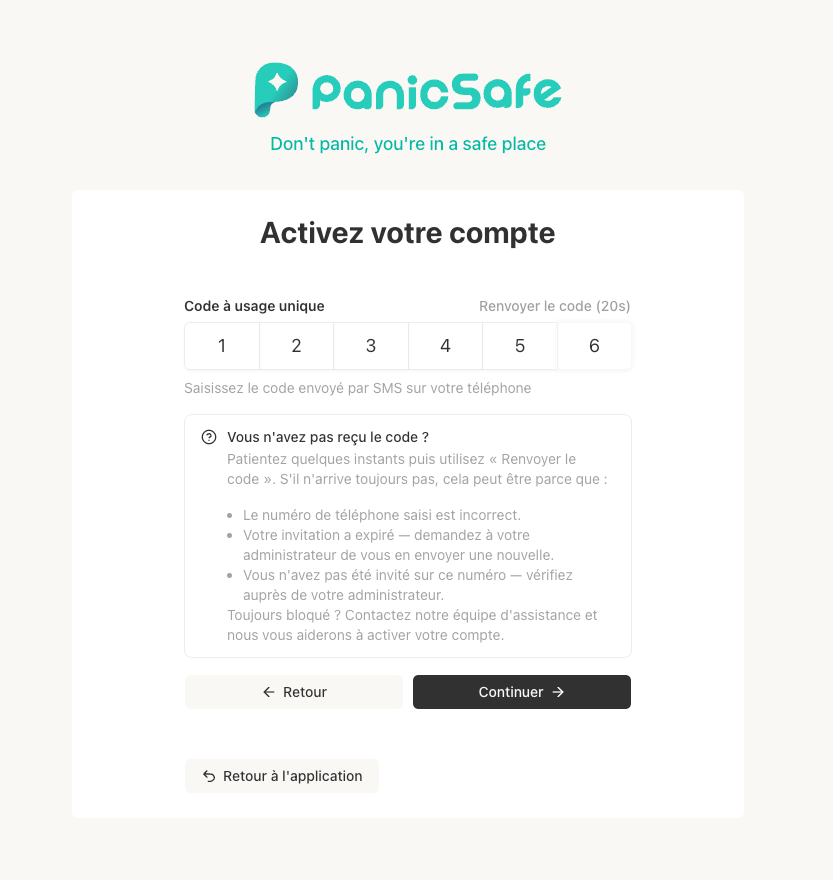
If something goes wrong: Use the "Forgot password" flow to reset the registration process and start again from the beginning. Note that sign-up requests are rate-limited, so if you've made several attempts in a row, wait a little before trying again.